Scan the table. Order. Eat.
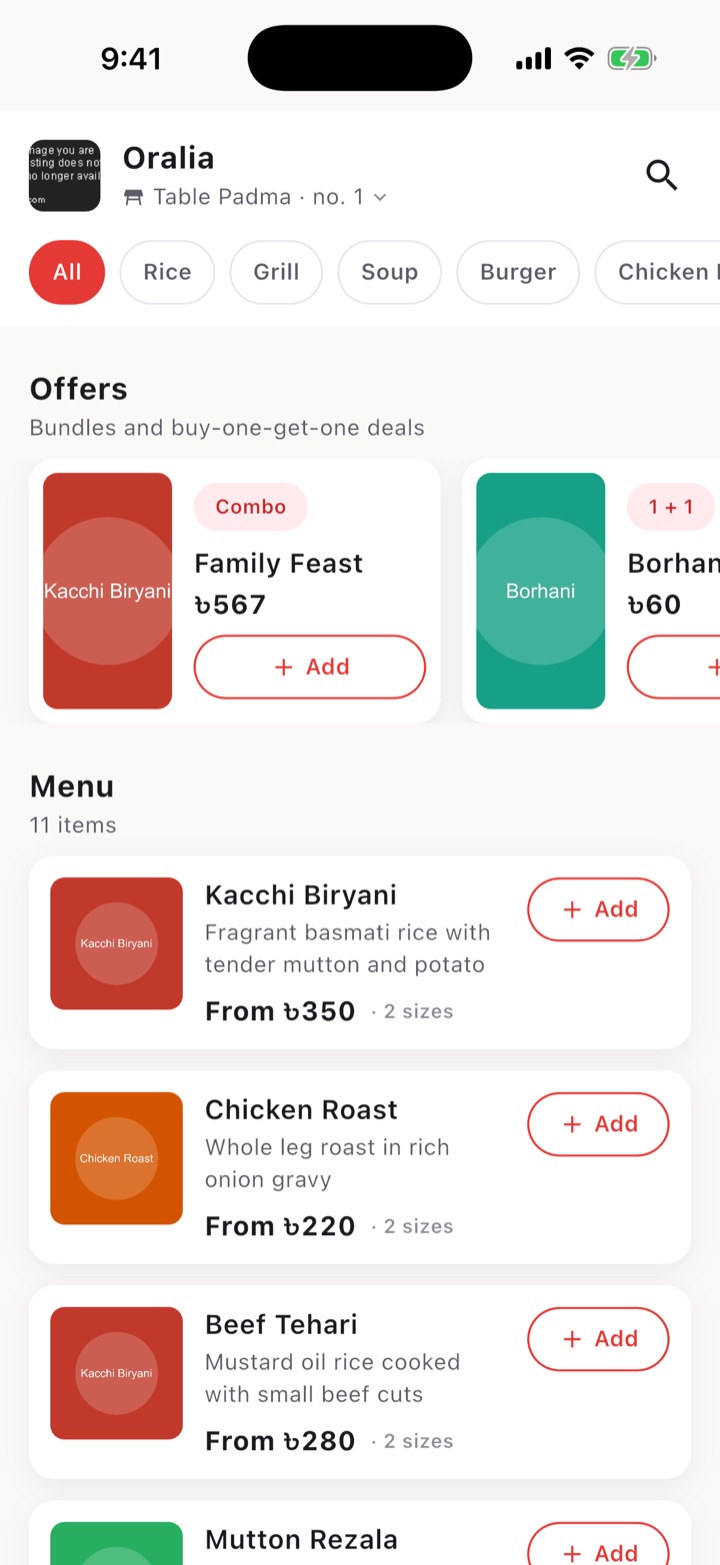
Customers scan the code on their table, see the menu and order from their own phone, with no sign-up. The restaurant sees every order the moment it is placed.
Coming to Android and iPhone.
For customers
Nothing to register and no waiting to catch someone's eye.
-
Scan the code on your table
The menu for that restaurant and that table opens straight away.
-
Choose your dishes
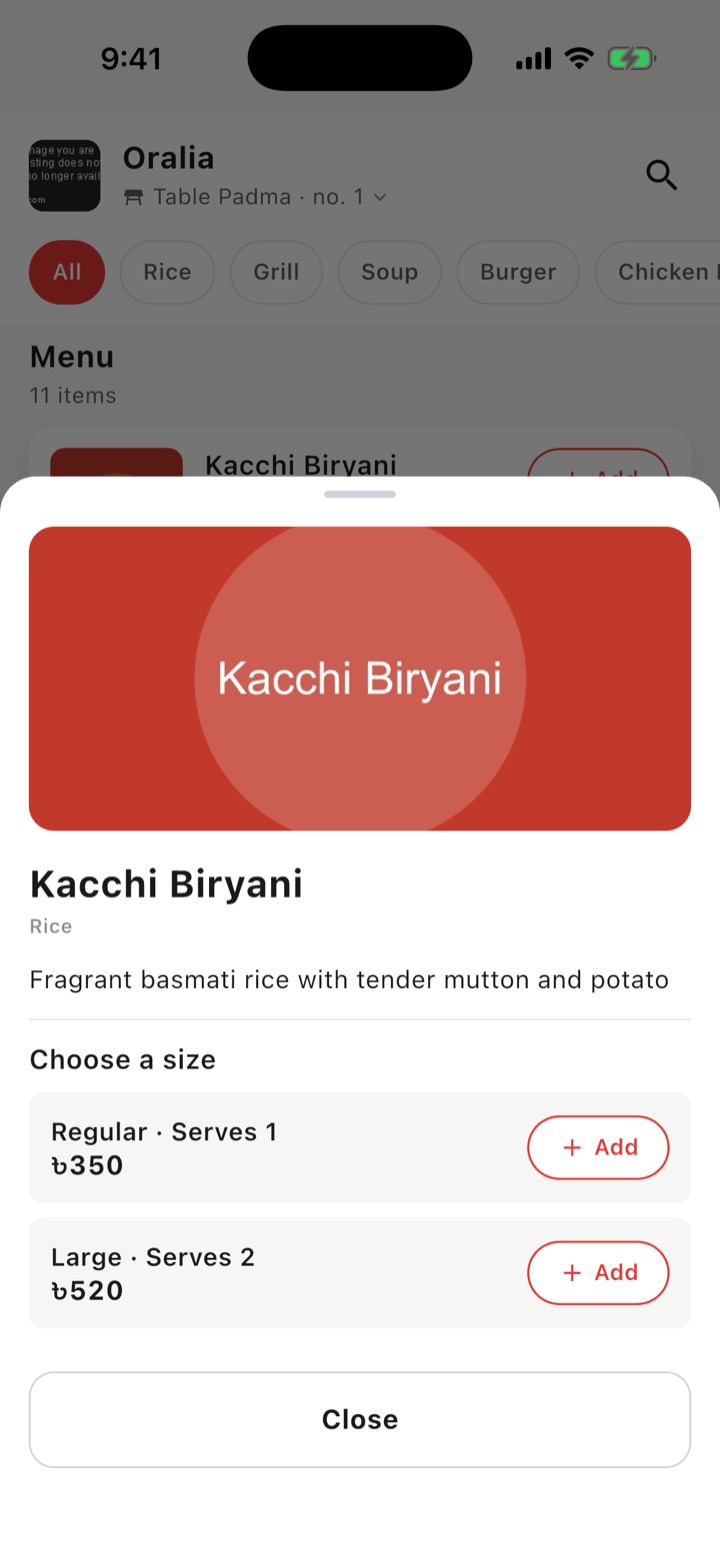
Pick a size for each dish, add offers, and send the order. Add more later in the same meal.
-
Follow your order
See when the restaurant accepts it, what has been added, and the total so far.
For restaurants
The owner and the waiters work from the same app, each with their own view.
Your menu, your prices
Dishes with photos, categories and up to three sizes: Regular, Large and Family.
Tables with their own code
Create a table, print its code, and every order arrives with the table already on it.
Waiters and their tables
Assign waiters to tables. Each waiter sees and handles the orders for their own.
Offers
Combos at a set price and buy-one-get-one deals, shown at the top of the menu.
Orders as they happen
Accept an order, accept items added later, and close it when the table has settled.
Kitchen tickets
Print an order to a Bluetooth thermal printer from an Android phone.
Contact
LiteBite is made by Tasman Tech And Trade. To bring it to your restaurant, or for help with an order, call, message or email us.